

Barton's Sizing Guide Guide
Changing your watch band is a really easy process. Watch our 2 min video below to find the right band for your watch. Then simply choose the bands that fit the style you're after!
Shop: Classic Bands | Apple Bands | Smartwatch Bands | Bundles
How to Measure & Change Your Watch Band
In this quick video guide, we'll show you how to measure your watch's lug width so you can pick the perfect Barton band. You'll also learn how to swap your strap in a few simple steps and refresh your watch with a new look. If you need a hand choosing the right size or style, our team is always here to help.
What Lug Width Do I Need?
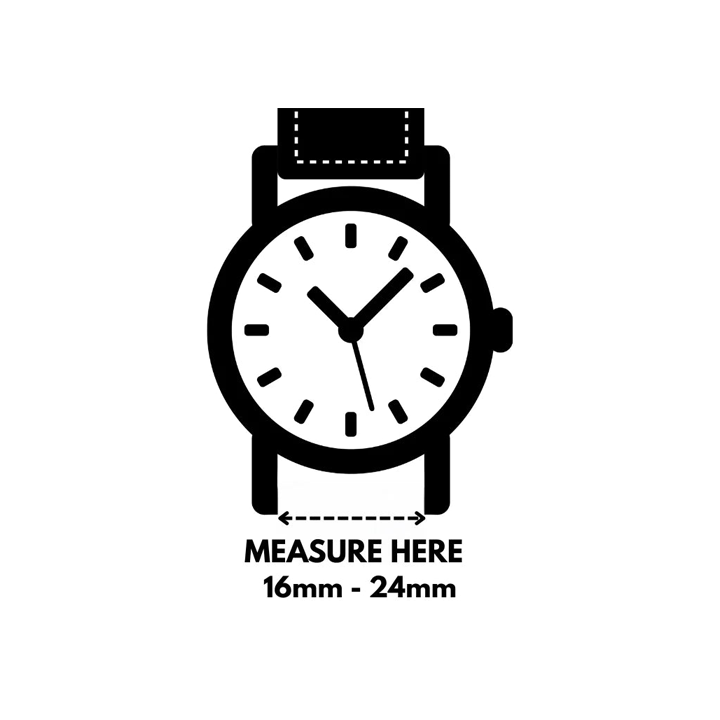
Step 1: Find Your Lug Width
- Check the underside of your current band
- Measure using a metric ruler or print our sizing guide
- Smartwatch users: check our Common Smart Watch Lug Widths
- Search your watch model online for lug width specs
Step 2: Buy Bands to Fit Your Lug Width
We offer bands in the following widths: 16mm, 18mm, 19mm, 20mm, 21mm, 22mm, 23mm, 24mm.
Note: Only our Elite Silicone, Leather, and Alligator Grain collections come in odd widths (19mm, 21mm, 23mm). For NATO® style bands on odd widths, sizing up 1mm generally works fine.
Using a heart rate monitor? Stick to Quick Release styles, as NATO® straps may block the sensor.
Step 3: Swap with Ease
All BARTON bands are designed for fast, tool-free swapping. Customize for your outfit or activity in seconds.
- Quick Release: Insert one end into the lug, then slide the release lever with your finger.
- NATO® Style: Insert spring bars, then thread strap through. Use Quick Release bars for easy switching between styles.
Adjusting NATO® Strap Length
If your NATO® strap is too long, fold the end back through the loop or trim and heat-seal it to prevent fraying.
If you need help or have accessibility questions, call us at (512) 410-8793 during business hours. You can also visit our FAQ or contact us.
Click here to download our printable size chart (PDF)